Help  General Change Your Password
Change Your Password
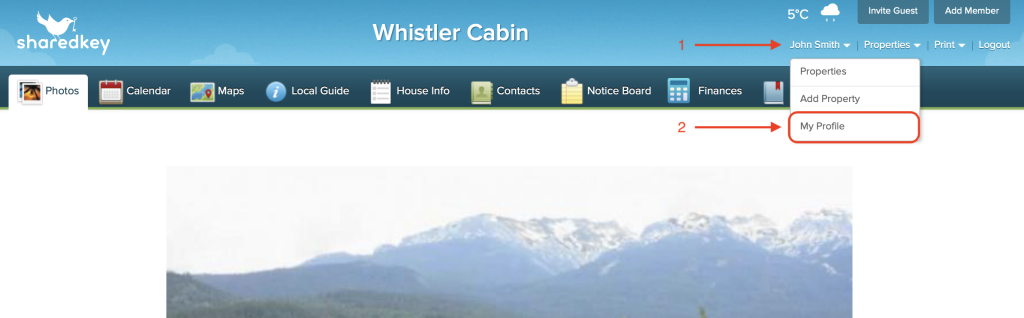
To change your password, hover your mouse over your profile name in the top right corner.
When the drop down menu appears, click “My Profile”.
Enter your old password, followed by your new password. Then confirm your new password.

If you have forgotten your old password, log out of your profile and return to the home page.
Click “Login”, then when the drop down menu appears, click “Forgot Password”.

Enter your email and then click “Submit”.

