Help  Billing & Subscriptions Reactivate Expired Subscription
Reactivate Expired Subscription
You can reactivate your property account by logging in via a web browser (either on a desktop or mobile phone). If you have one property, then you will automatically be taken to the ‘Properties’ page. If you have more than one property you will need to navigate to the ‘Properties’ page by clicking on your profile name in the top right corner and select ‘Properties’ from the dropdown list. This page will provide the Reactivate link next to your property.
For Administrators:
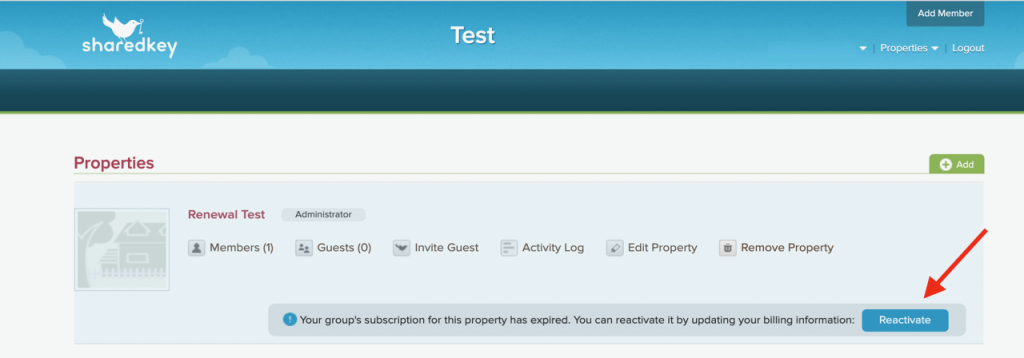
Please note that in the same Properties page there is a ‘Billing & Subscription’ link where you can update and manage your credit card information in advance of any expiry date.
For Full Access Members:

This Reactivate option is available to Full Access Members in cases where you would like to switch who pays for the annual subscription (this person now becomes the property Administrator).