Help  Finances Property Expenses Upload CSV files
Upload CSV files
Our system is able to upload expenses only if they are in a table format, organized by month and category. The month dates must appear in the first row of the spreadsheet and use the following standard Excel date format: yyyy-mm-dd. The categories must appear in the first column. Please refer to the example below:
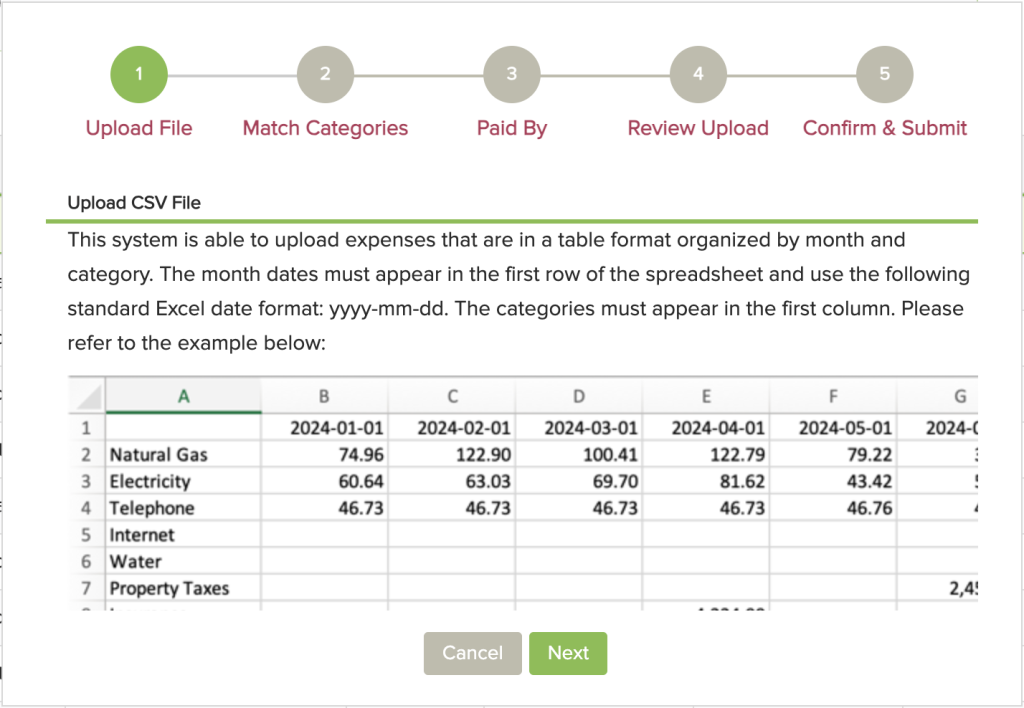
You can include up to 12 months of data for each upload (ie. one year at a time). Please be sure to save this file in the Comma Separated Values (.csv) format. Once saved, simply select this file to upload.
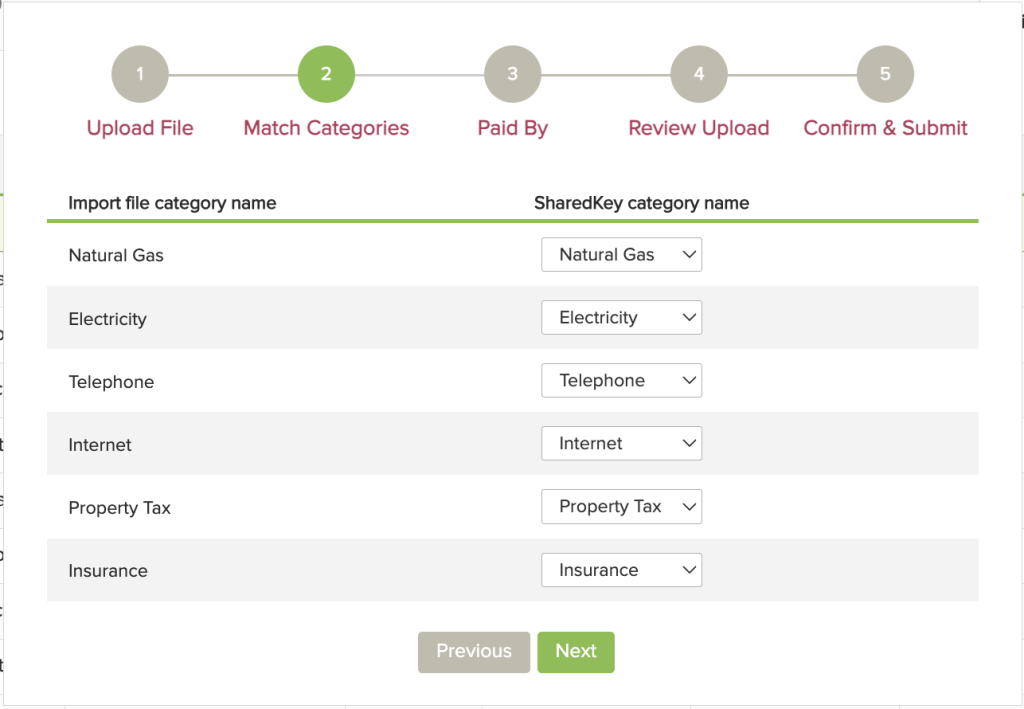
Once you upload your CSV file, you will be asked to match the import file category name with the SharedKey category name, to ensure your data is uploaded correctly to the right place.
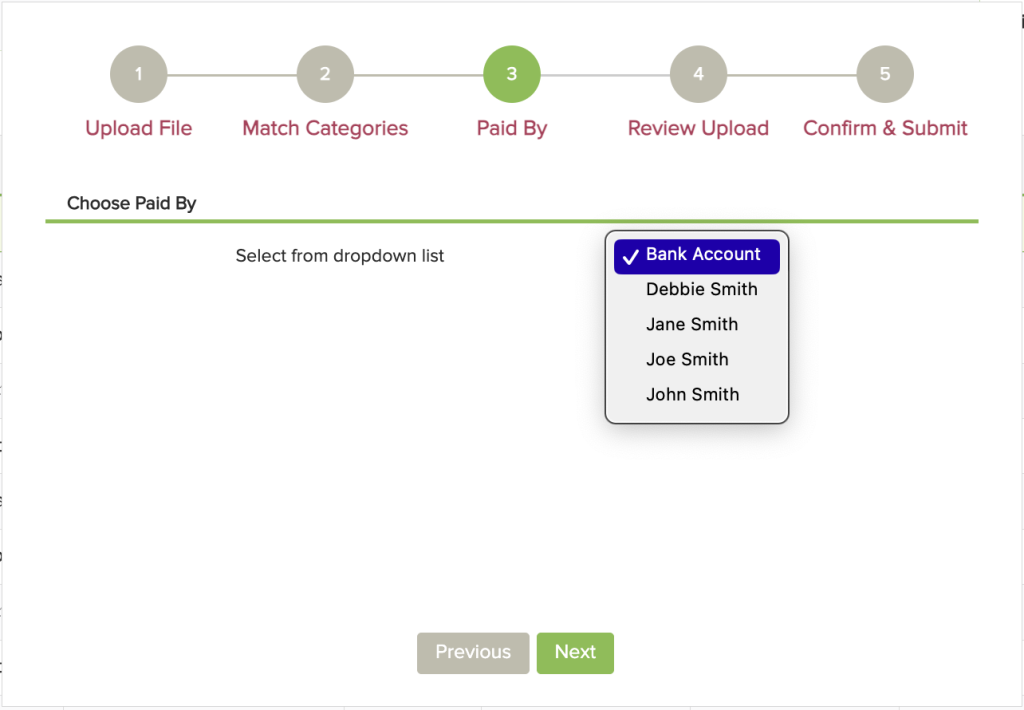
The third step is to select a “Paid By” option to keep track of who/where the money is coming from.
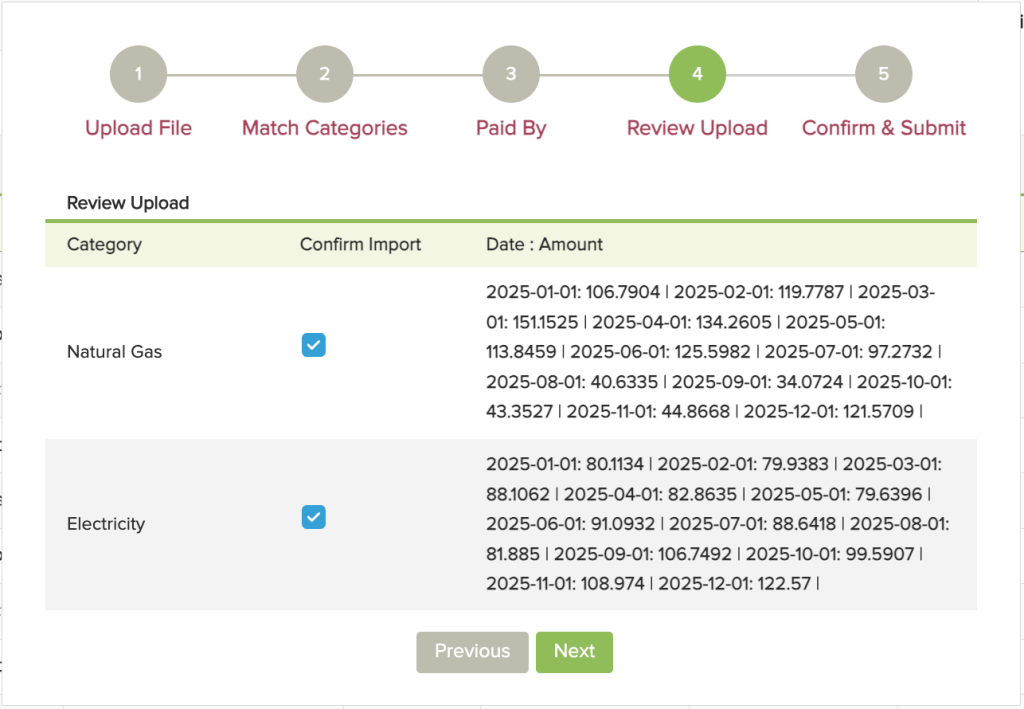
The fourth step is to review the uploaded information and confirm the data being imported.
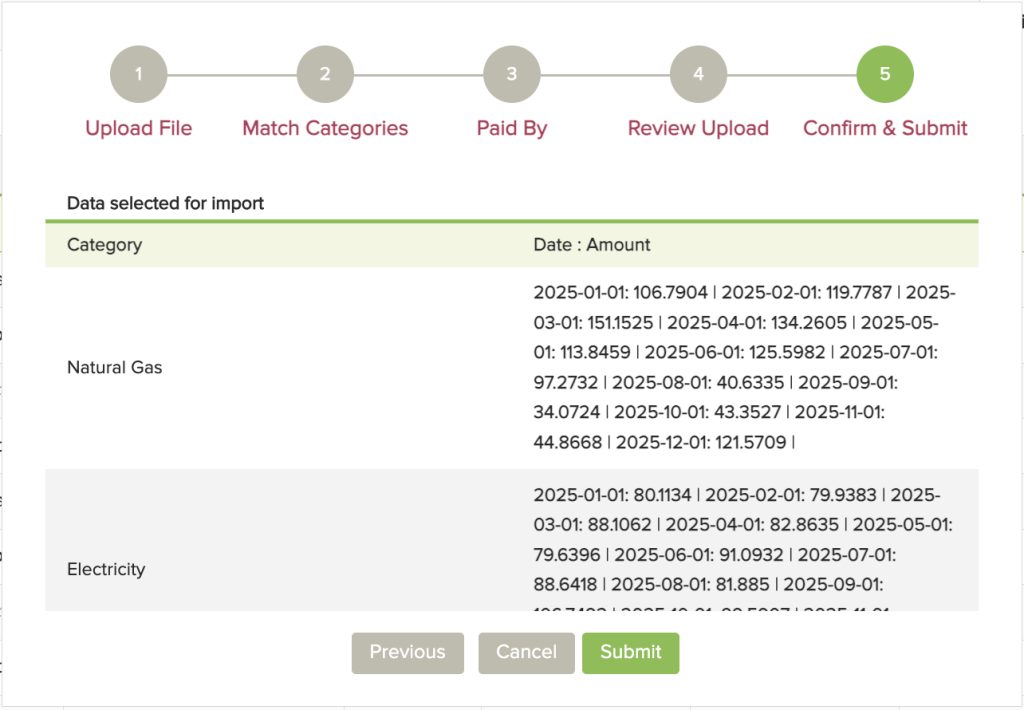
The final step is to confirm and submit.