Help  Finances Settings Member Access
Member Access
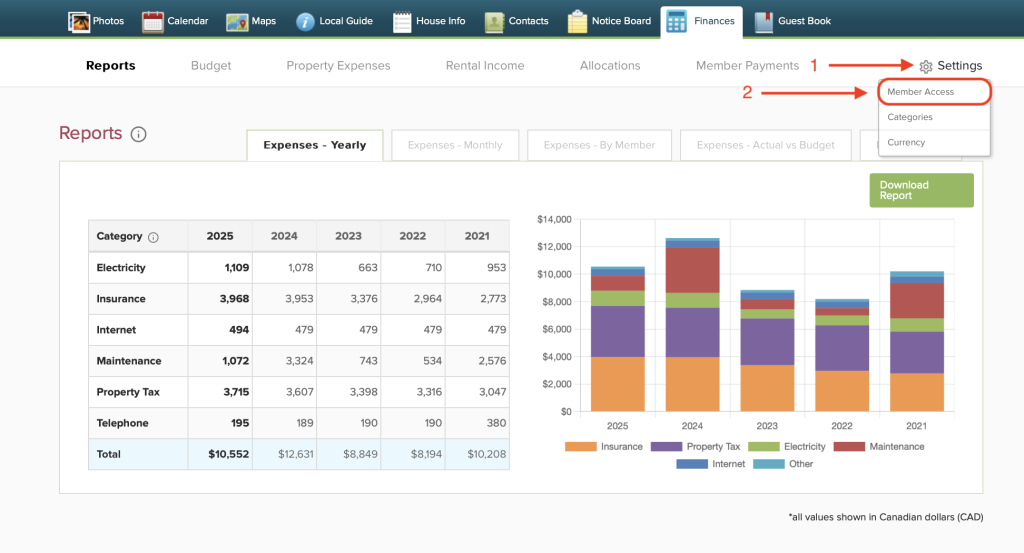
To select custom member access for your Finances Tab, hover your cursor over “Settings” in the top right corner. Then from the dropdown menu, click “Member Access”.
On this page, only the property Administrator has the ability to edit which of the finances tabs each member can view.
The Administrator can check specific boxes to grant different members permission to access certain tabs. They can choose to give all members full access, or restrict viewership for some.
Click the green “Save” button to confirm changes.
