Help  Billing & Subscriptions Cancel Property Subscription
Cancel Property Subscription
Your property account will be active for one year after you subscribe, and will renew automatically, unless your card expires, or you cancel your subscription.
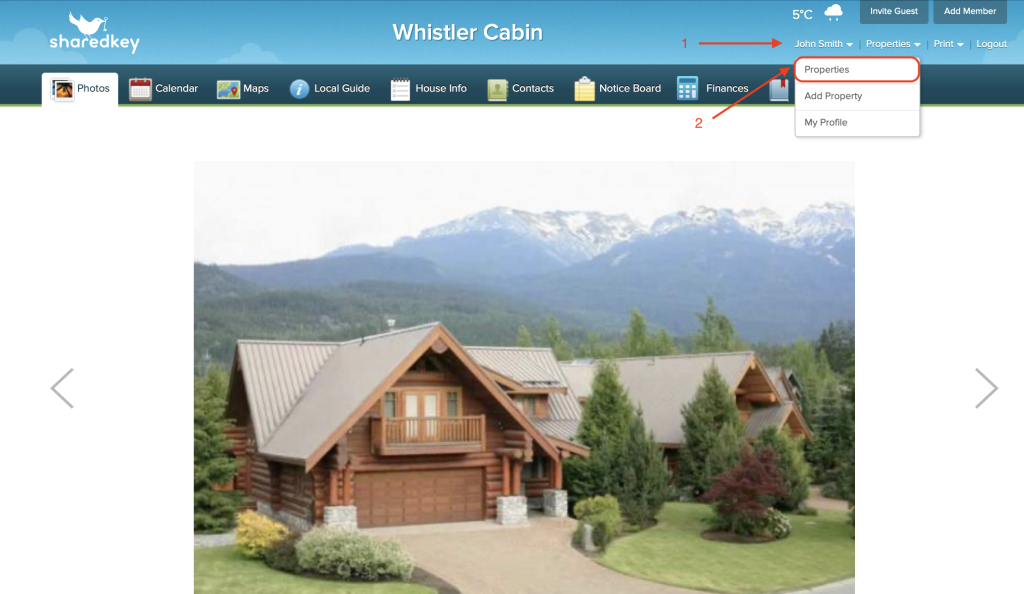
To cancel or unsubscribe, login to your account at sharedkey.com, and hover your mouse over your name in the top corner. From the drop down menu click on “Properties”.
On the properties page, click on “Billing & Subscription”.

From the billing page, click “Subscribe”.

Then click “Cancel Subscription”. You will have access to your account until the renewal date.
