Help  Members Resend Member Invitations
Resend Member Invitations
There is a quick way to resend invitations to members who have never logged into your property account.
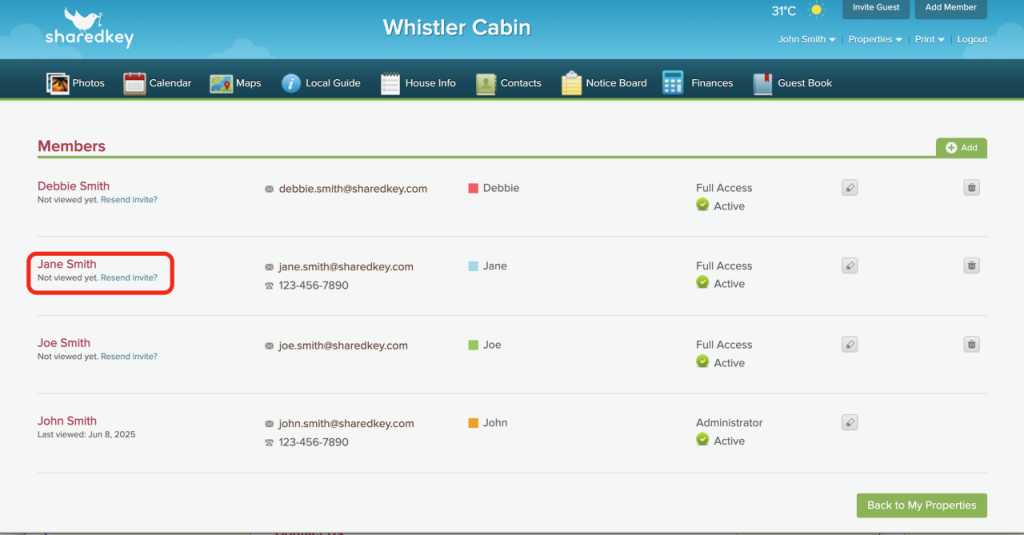
Login via any web browser (instead of on the app version) and go to your Members page. You can find this by clicking on your profile name, selecting Properties, and then clicking on Members, or by clicking on the Properties dropdown, hovering over your property and clicking on the Members page link that slides out.


From here you will be able to see those members who have not signed in. You can then click on the Resend invite link. If your members still have not received the invite then we suggest you ask them to check their spam / junk email folders.