Help  Billing & Subscriptions Property Setup Add Another Property Subscription
Add Another Property Subscription
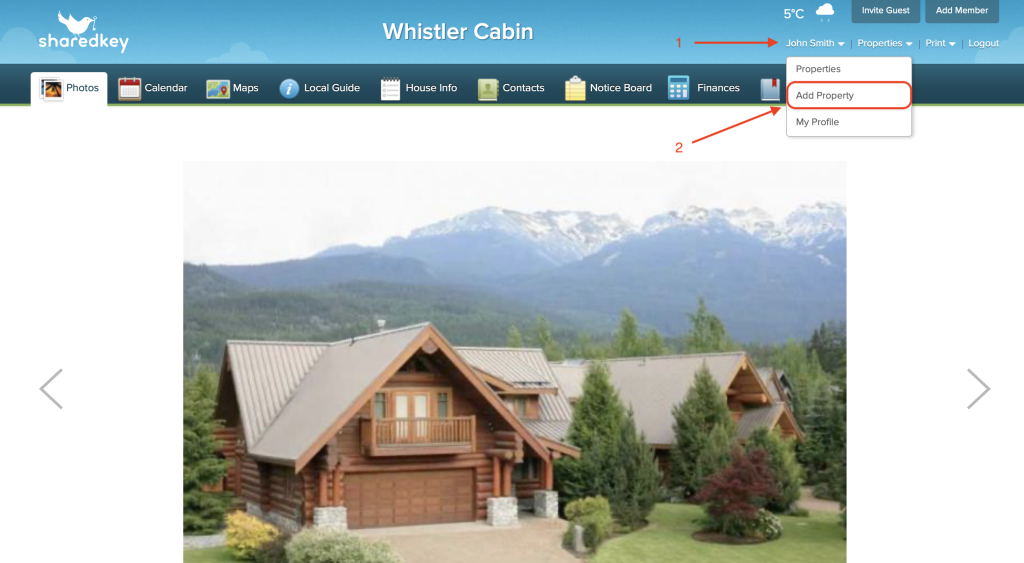
To add an additional property to your account, hover over your profile name located in the top right hand section of the main property page.
From the dropdown menu, click “Add Property”.
Enter the address information for your additional property.

After completing the set up, you will be taken to the billing page to complete payment for the additional property subscription.
Fill out your billing information. You will be billed annually from the date the property is set up.
