Help  Finances Settings Categories
Categories
To edit/select your categories, go to the Finances tab and hover your cursor over “Settings” in the top right corner. From the dropdown menu, click “Categories”.
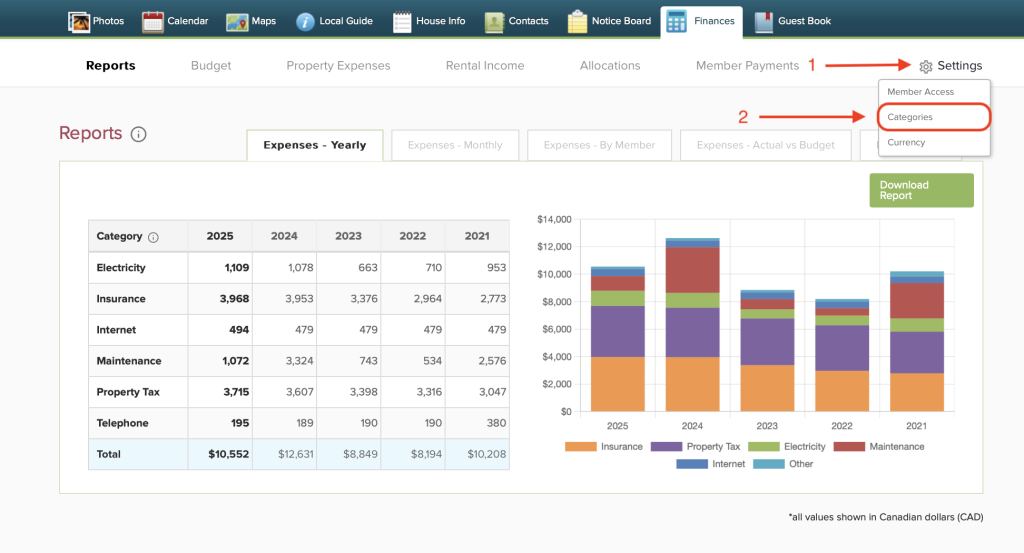
This will open the page where you can select which categories are relevant to your property for your Finances page. The boxes checked in blue will be the categories that appear in your Reports, Budget, and Property Expenses pages. To remove a category, uncheck the blue box by clicking it again.
You may also add custom categories by entering a title and clicking the green plus button on the right hand side. Click “Save” to confirm your selection or changes.
