Edit Guests
Once you send a Guest invite to someone’s email, you will not be able to change that guests’ email address. If you made a mistake or typo you will need to send a new invite (and delete the incorrect Guests’ profile).
You will also have the option to change guests’ status from “Active” to “Inactive”, which will change their access to viewing the property page and making entires in the Guest Book.
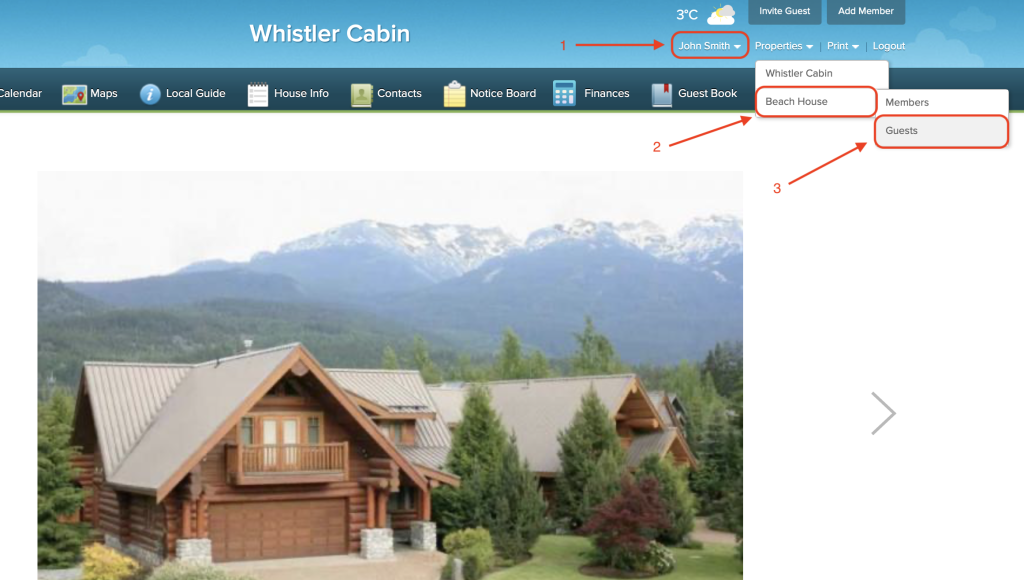
To change a Guests’ status, hover your mouse over your name in the top right corner until you see the dropdown menu. Then hover over the property you wish to view the guests for, and click “Guests”.
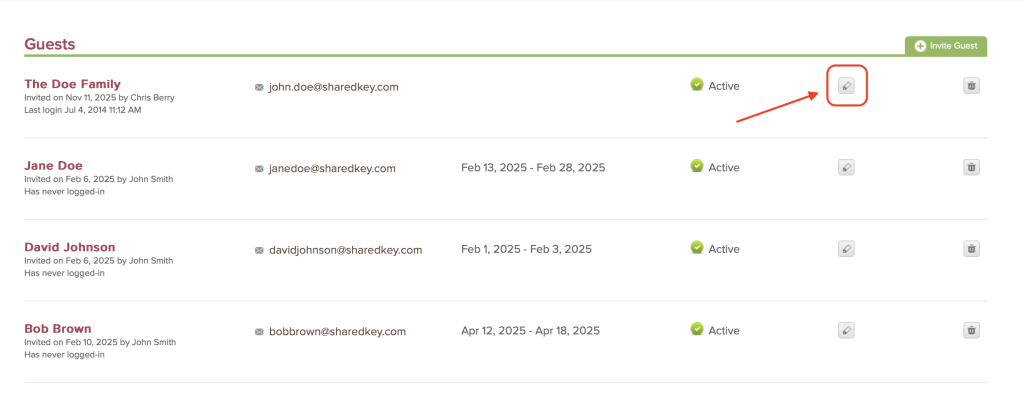
Then click the gray pencil icon to edit their status.
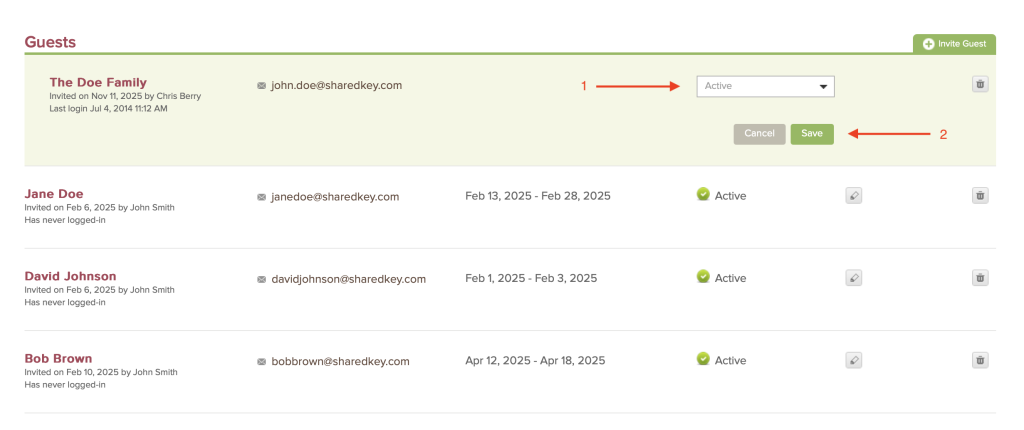
Click the drop down menu to make changes to a guests’ activity status. Then click the green “Save” button.