Help  Members View Your Member Status
View Your Member Status
If you are unsure of your member access rights, you can view your member status, and those of your fellow members, by logging into your account at sharedkey.com. Hover your mouse over your name in the top right corner, and from the drop down menu, hover over the property you wish to view, then click “Members”.
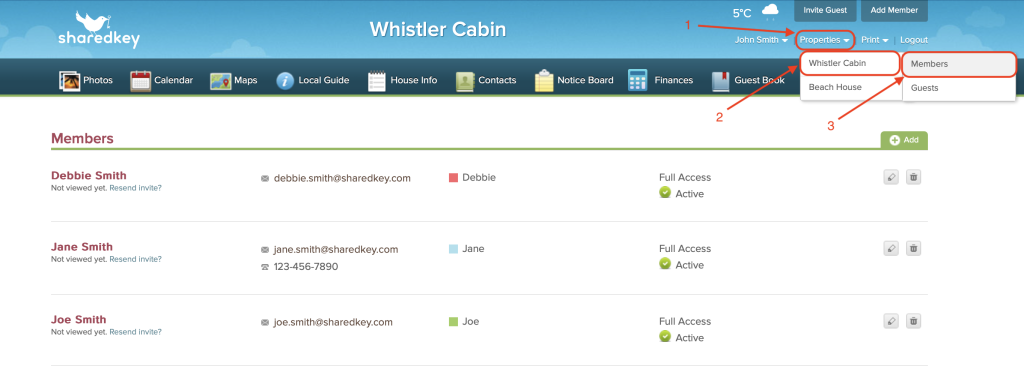
Here you will be able to see the access type of your account, and your other members.


Full Access members are able to change the status of other members, however, Basic Access members will only be able to view.